
Property comparison
Compare Properties Without Losing the Context Behind Each Listing
A more disciplined way to move from dozens of open listings to a shortlist that preserves the facts, notes, and sources behind the recommendation.
What it solves
A useful property comparison puts listing data under consistent definitions, then separates verified facts, meaningful tradeoffs, and unanswered questions. Pinlot keeps selected listings in one client project so an agent can review price, area, features, notes, and source links before making a recommendation.
01 — Common basis
Align the data before deciding which option is stronger
A polished table does not guarantee a fair comparison. Confirm that price, currency, area, costs, and listing status mean the same thing across every option.
| Field | Control question |
|---|---|
| Price | Is it in the same currency and current as of the same review date? |
| Area | Does each listing use living area, total area, or a different standard? |
| Rooms | Do the portal and local market count rooms using the same convention? |
| Costs | Are taxes, HOA fees, and recurring costs separated from price? |
| Status | Is the listing still active, and have its material details been verified? |
02 — Reading
Separate the comparison into three layers
Facts
Observable listing data such as price, location, area, room count, photos, and reported status.
Tradeoffs
What one option gains and gives up: location versus space, condition versus price, or amenities versus recurring costs.
Open questions
Information that must be confirmed with the source, listing contact, or a property visit before a decision is made.
A useful comparison does not force a winner
It can conclude that two properties suit different priorities or that more information is required. Making uncertainty visible improves the client conversation.
03 — Workflow
Narrow the shortlist without rebuilding it in a spreadsheet
- Save relevant listings inside the client's project.
- Remove duplicates and options that no longer meet the essential criteria.
- Select the finalists and compare the differences that affect the decision.
- Record open questions and verify the original listing.
- Share a focused shortlist with a clear explanation of the selection logic.
04 — Delivery
Turn the comparison table into an explanation for the client
Clients rarely need every available field. They need to understand which differences change their decision. Start with their priorities, show the options that represent those priorities, and connect each conclusion to the source listing.
When a property leads on one criterion and falls behind on another, say so directly. Transparent reasoning is more useful than an unexplained score.
Comparison inside the browser
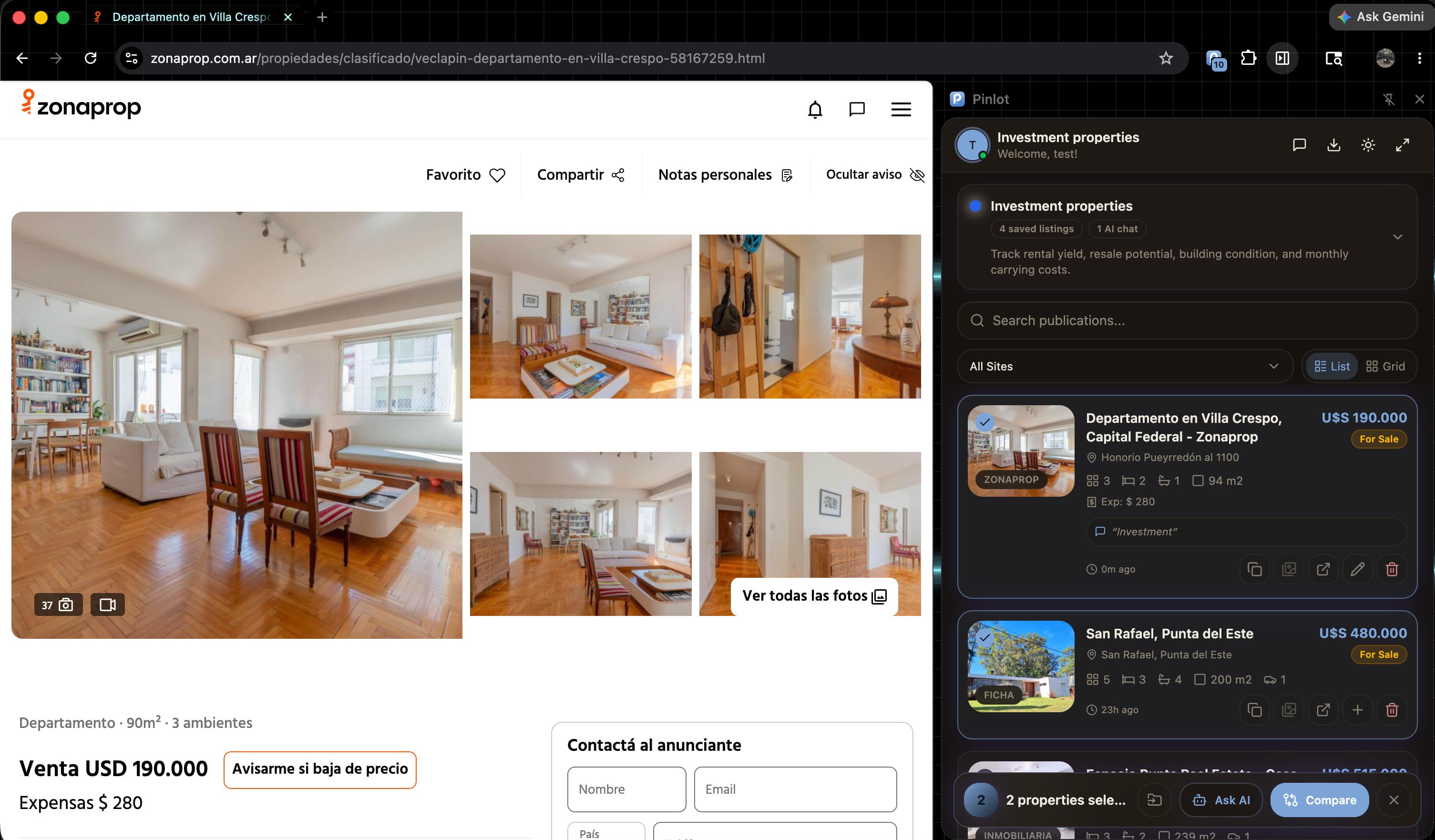
Selected properties reach the Pinlot agent together.
Choose the listings in a client project that belong in the analysis. Pinlot keeps their details and sources together while helping you summarize differences or answer a specific question.
- Explicit selection of the properties included in the analysis.
- Project context, notes, and listings in the same workspace.
- Editable output that reminds the agent to verify material information.
The comparison reflects the information available in saved listings. Confirm material fields before advising a client.
Frequently asked questions
Answers before you use the workflow.
Can I compare properties from different real estate portals?+
Yes. You can save listings from supported sites into the same project and review their available data in one workflow.
Which property details should I compare first?+
Start with the client's priorities and fields that can be defined consistently: location, price, currency, area, room count, recurring costs, and current listing status.
Does Pinlot automatically choose the best property?+
No. Pinlot helps organize and explain selected information. The agent chooses the criteria, verifies the sources, and makes the recommendation.
Keep exploring
Related resources
Apply the guide to a real search
Save the first property. Keep the reasoning attached to it.
Free to start · No credit card